How to Delete Your Account
If you wish to delete your profile, please follow these steps:
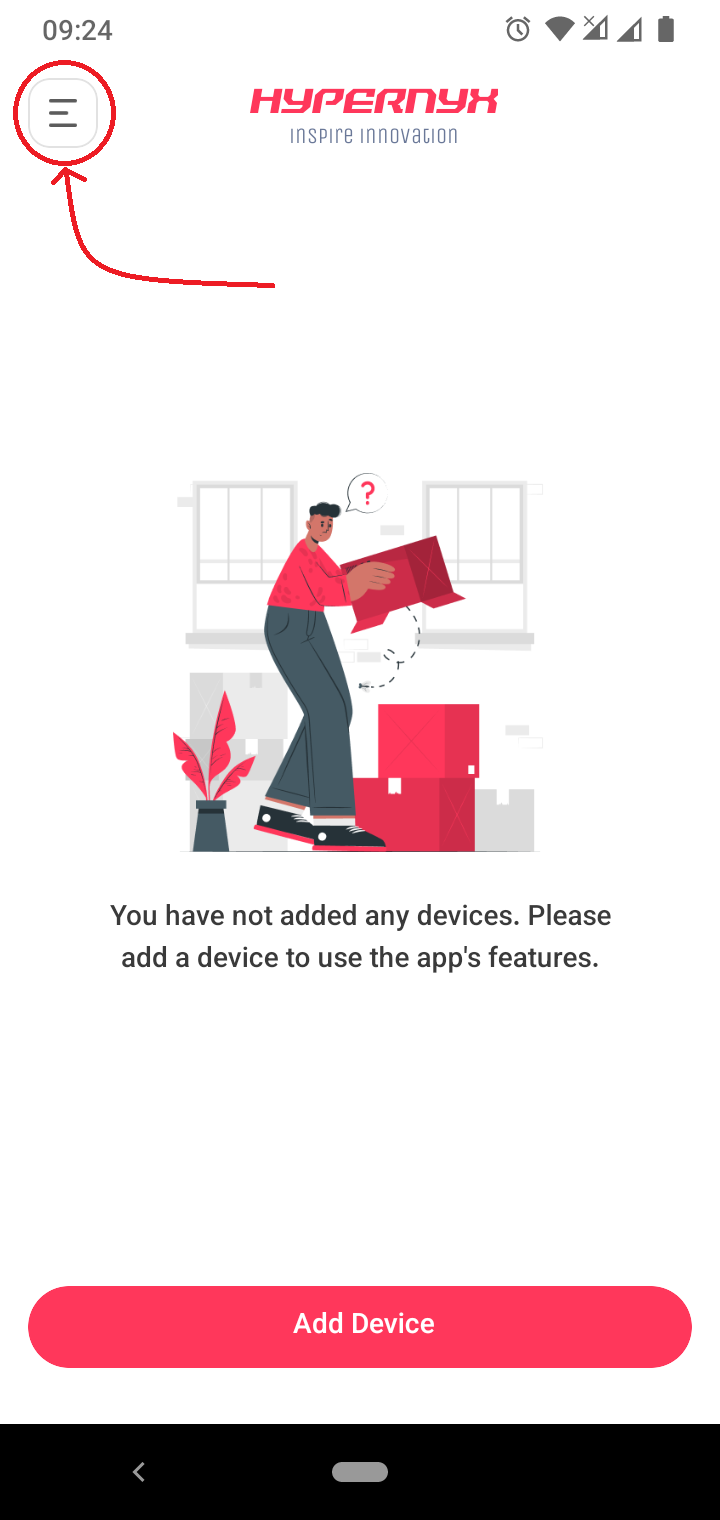
Open the Side Menu
Open Hypernyx App and tap on the menu icon located at the top-left corner of the screen.
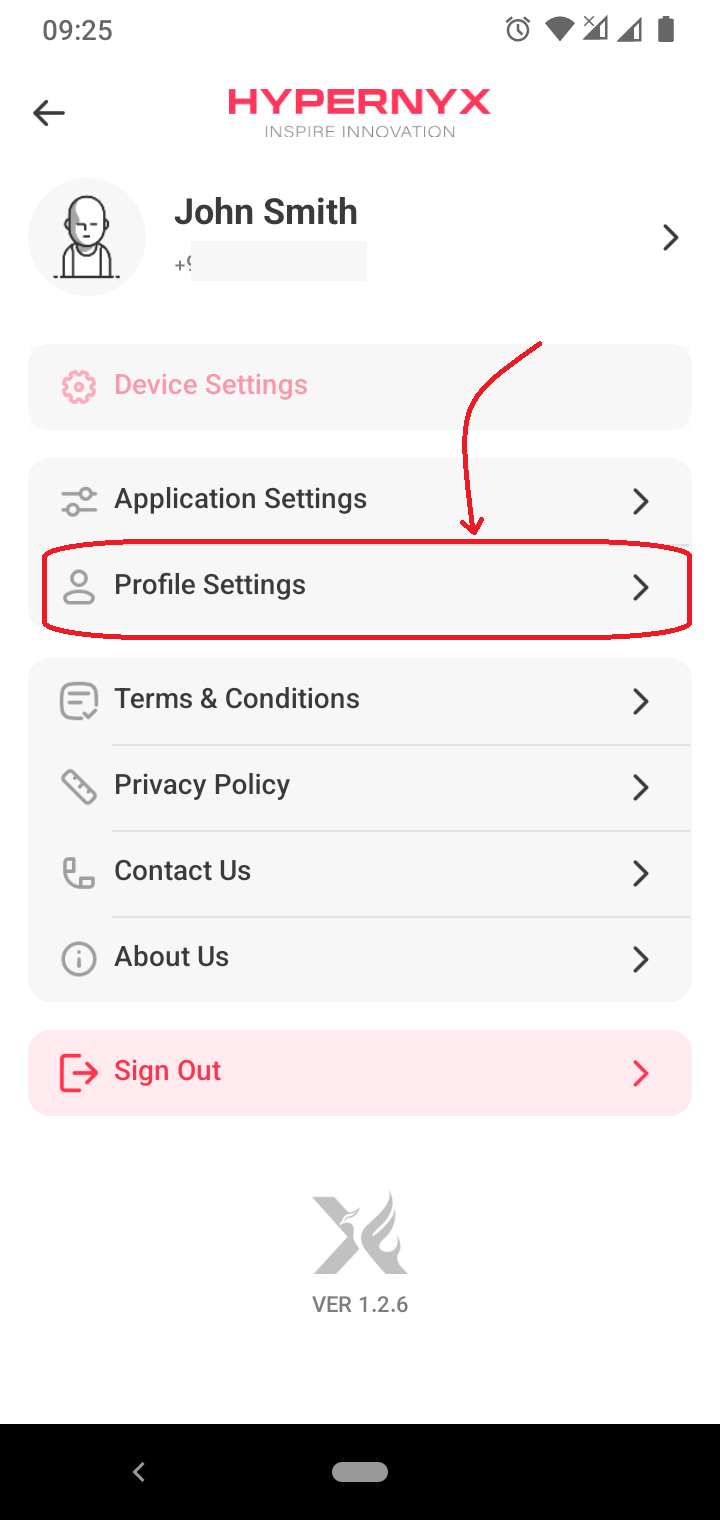
Navigate to Profile Settings
In the side menu, scroll down and select Profile Settings.
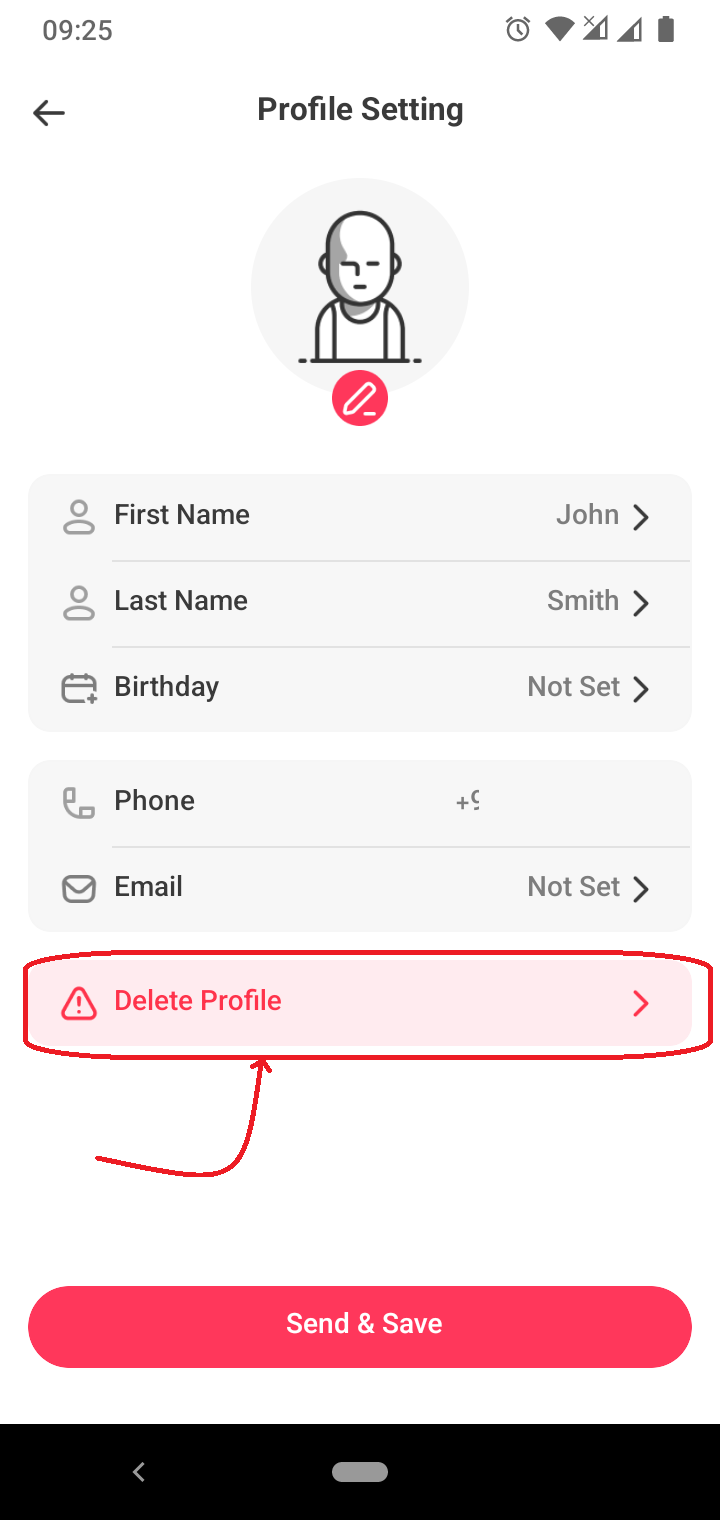
Delete Profile
Within the Profile Settings, find and tap on the Delete Profile button.
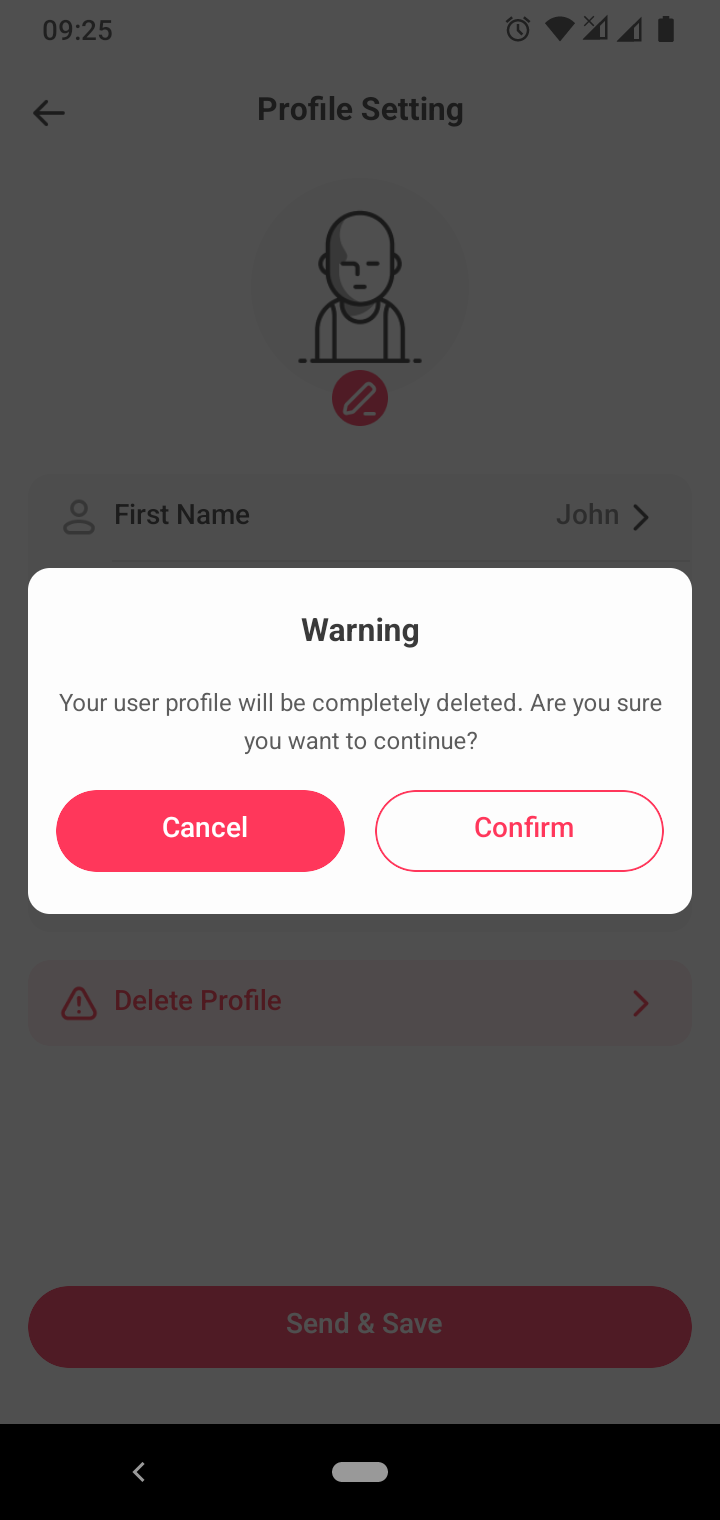
Confirm Deletion
A confirmation pop-up will appear. Please read the information carefully and confirm your decision by tapping Confirm.
Note that deleting your profile will permanently remove all your personal data, including your:
- name
- phone number
- email address
- date of birth
- added devices